My Proprietary Dishwasher Was Actually Tuya, How I Integrated It Locally with Home Assistant
Intro
A while ago I moved into my new house, while selecting kitchen appliances I got the offering for an upgrade to make my dishwasher “smart”, I put down a bit of extra money without actually researching the Home Assistant integration possibilities. I got the dishwasher delivered and followed the basic instructions, which resulted in an “Etna Connect” app on my phone which I could use to turn on the dishwasher, set the timer and start it. (I still need to manually put in detergent and close the thing, the actual quality of life improvement for smart dishwashers are highly debatable, but yet here we are).
Using the amazing jinja template: cheapest energy hours by TheFes, and by analyzing the energy usage pattern for a normal cycle, I know when it’s the best time to start the dishwasher:
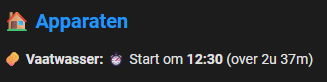
Unfortunately this still required me to read this time in the Home Assistant app. Remember it, open the Etna connect app, select the program, select the time, press start. As you can understand, not really “smart”.
The Etna app does not have an in Home Assistant. On the HA forums there is a lot of discussion on Hisense appliances, as well as a connectlife HACS integration. Although I already had the feeling Etna is somehow related to this, I couldn’t get the thing to work. And it’s all cloud-based, I don’t like cloud-based integrations.
The investigation
I checked my pihole logs to see what the dishwasher tries to connect with, this is often a good and easy start to get to know what’s on the backend:
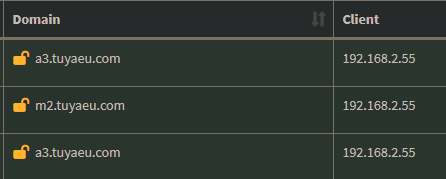
I was very happy to see that a Tuya server was contacted, Tuya is often used by smart home appliances and is often integrated with Home Assistant.
Also running nmap against the local IP:
PORT     STATE    SERVICE VERSION
53/tcp   filtered domain
6668/tcp open     irc?
6668 is a port often used by Tuya, yay!
The third and last giveaway was that I installed the Tuya app, and it looked suspiciously similar to the Etna Connect app. So we can conclude that Etna uses a white-labeled version of Tuya.
The official Home Assistant Tuya integration states that we can connect to Tuya via a User key. Although the Etna app looks very similar to the Tuya, it doesn’t show an user key in the settings, Bummer.
Therefore I disconnected the dishwasher from the Etna App and account. And tried to link it to my Tuya app (the Etna account was not able to login to Tuya, so there is a slight difference there). Great success! The Etna dishwasher is now in the Tuya app, we can control it as if it’s any other Tuya device
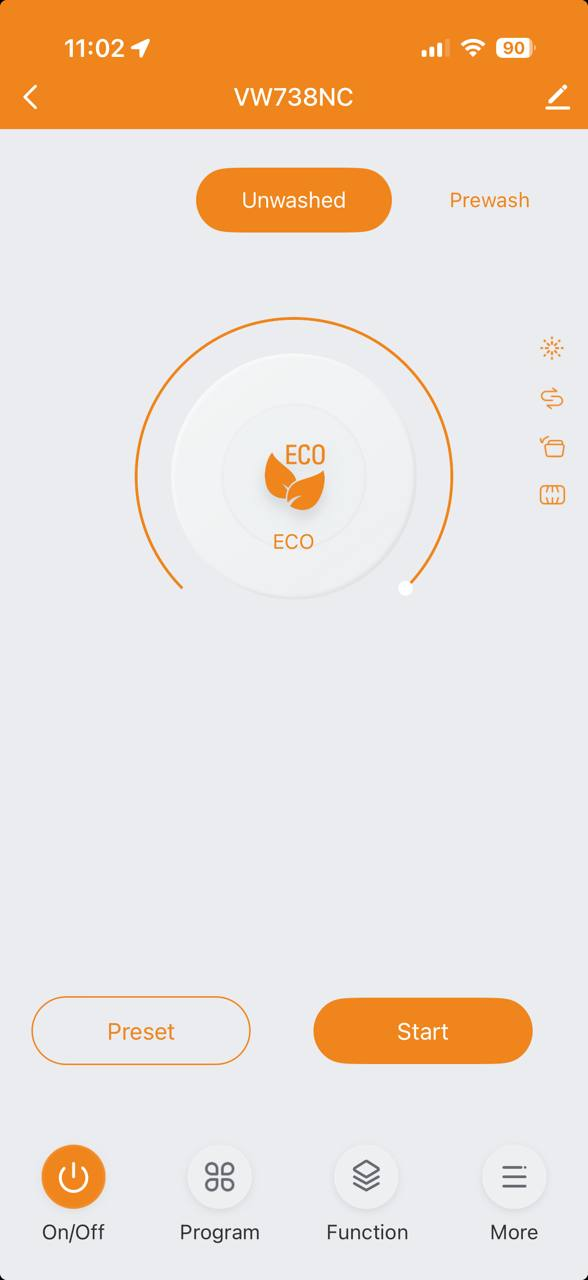
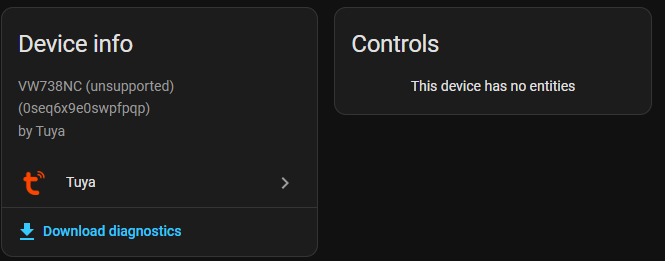
Again some success, as the Tuya app has a user code, so we are able to add the device via the Tuya cloud to Home Assistant. The sad part here is that it’s not supported, although added, we are not able to control the dishwasher or read any of its sensors:
Extracting local keys
Since we didn’t want to use the cloud anyway, we can use a method to extract the local keys, so we can directly talk to the dishwasher, and also extract the function codes we need.
This is the procedure I used, but as it’s a SaaS platform, it might quickly change after I wrote this post
- Go to the Tuya IoT Developer Platform and create a free account.
- Navigate to Cloud > Development and click Create Cloud Project
- Important here is that you select the right region for your account
- Select smart home as industry and development method
- Open the project, Devices > Link App account > Add App account > Tuya App Account configuration, scan this QR with your Tuya app
If all is good, it shows something like:

We can open the device and see some ambiguous information
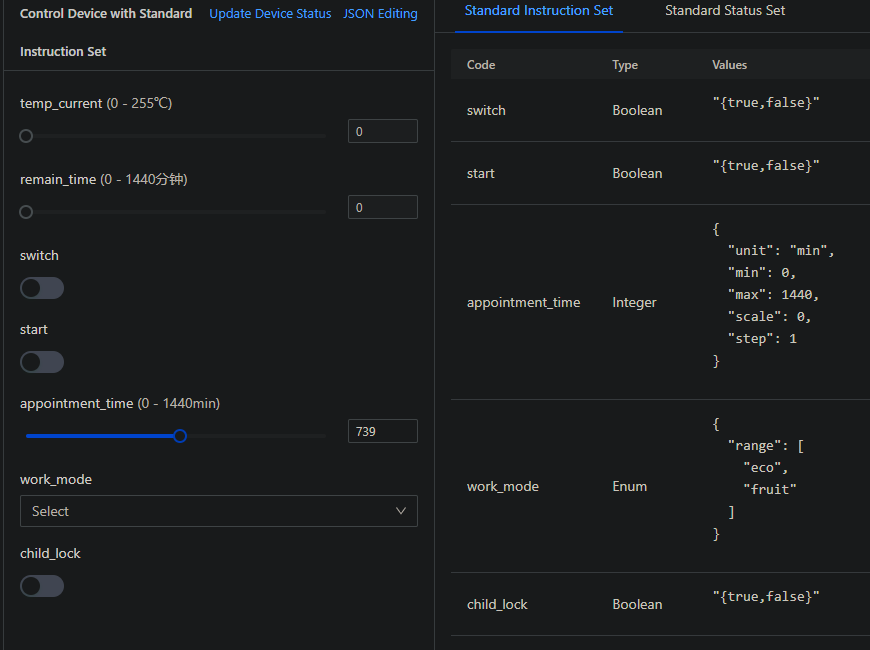
We get some interesting information such as appointment time (this is the start delay), and the switch is the on/off switch for the appliance, but work mode only shows eco or fruit(?). Where in the app, we can set a wide range of modes from hygiene, to auto. Well at least we have remaining time in an entity (I don’t care about this as I mostly run the dishwasher at night)
Let’s continue on our quest, from this we copy the Device ID, and in the Tuya portal we do the following to extract the local key:
- Cloud > API explorer
- You get “Not subscribed error”, just click subscribe. You need to subscribe to the
IoT Core Api, you can click Free Trial, it does not require a credit card. - In the API explorer we look for “Query Device Details” and enter the deviceID saved earlier, the response should contain a local key, save this:
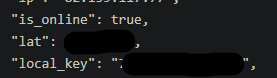
Back in Home Assistant we need to add a HACS integration by make-all: https://github.com/make-all/Tuya-local (this is another integration than the Local Tuya in the default HACS repo, make sure you have the correct one). Add the integration and restart HA.
We add the integration and select “Manually provide device connection information” (other methods might work but I have not tested these)
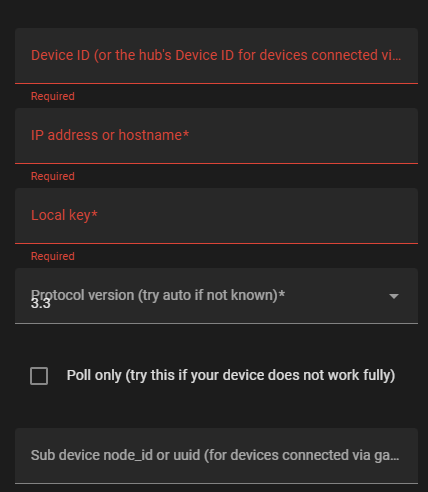
If you followed all previous steps you should be able to fill in all this information. (Make sure you give your dishwasher a static IP to prevent you from spending an hour of debugging issues in a few years.)
In my case, the device was recognized:
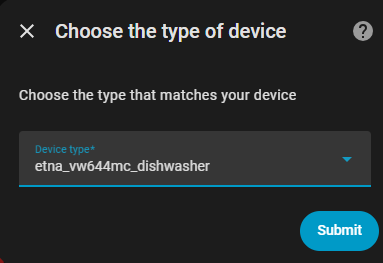
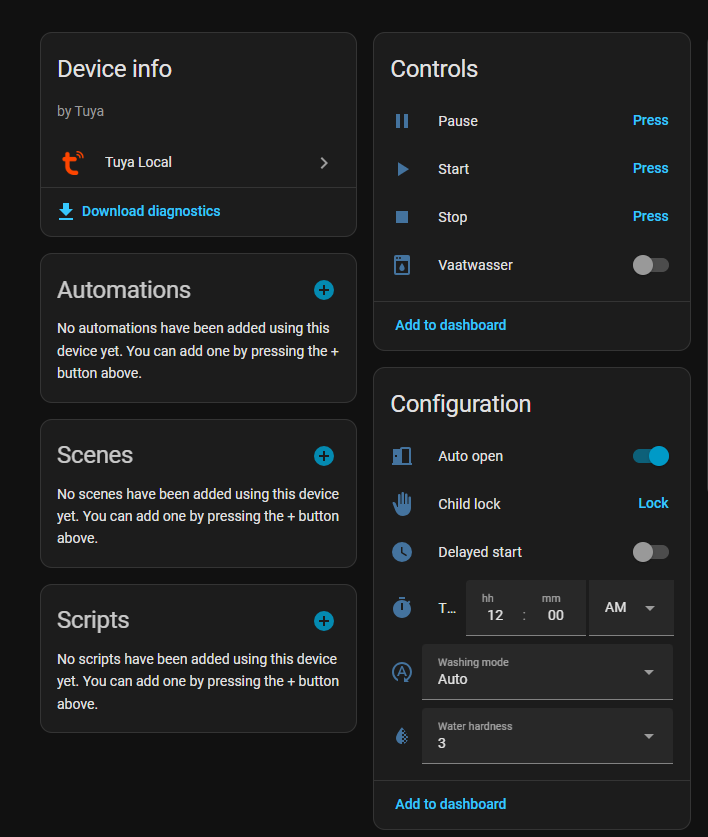
We now have integrated the device locally! And can run our automation as we see fit! In my case I have created the following:
If the device gets turned on, it will poll the cheapest next time, set the right program and time, so when I close it, it will automatically run on the cheapest time. If I need to run a rinse right now or adjust the program, I can still do that as the automation will only set values on startup.
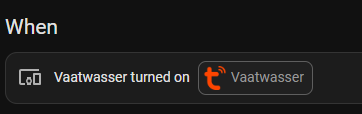
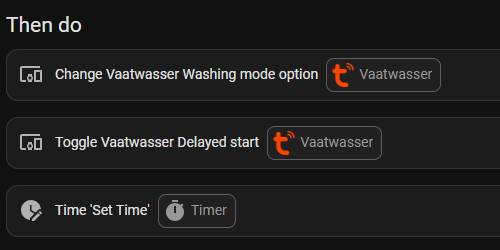
Thanks for reading this blog, I hope you learned a thing or two.
Wessel
If you want the automation YAML, this is a good starting point:
alias: Dishwasher auto start on best time
description: ""
triggers:
  - type: turned_on
    device_id: <dishwasher device id>
    entity_id: <entity id for on/of toggle>
    domain: switch
    trigger: device
conditions: []
actions:
  - device_id: <dishwasher device id>
    domain: select
    entity_id: <entity id for washing mode>
    type: select_option
    option: standard
  - type: toggle
    device_id: <dishwasher device id>
    entity_id: <entity id for timer>
    domain: switch
  - action: time.set_value
    metadata: {}
    target:
      entity_id: time.vaatwasser_timer
    data:
      time: >-
        {% set clean_time = states('sensor.dishwasher_optimal_pricing') |
        replace('+00:00', '') %}
                {% set diff = as_timestamp(clean_time) - as_timestamp(now()) %}
                {{ (diff if diff > 0 else 0) | timestamp_custom('%H:%M:00', false) }}
mode: single
And although highly specific to my situation, the optimal time I use to find the best spot to run the dishwasher. I used an energy meter to find the weightpoints of the load of a run:
  - sensor:
      - unique_id: dishwasher_optimal_pricing
        name: Dishwasher Optimal Pricing
        device_class: timestamp
        state: >
          {% from 'cheapest_energy_hours.jinja' import cheapest_energy_hours %}
          {% set source = 'sensor.tibber_ceh_prices' %}
          {{ cheapest_energy_hours(
              sensor=source,
              no_weight_points=4,
              weight=[
                13.4, 7.1, 5.8,
                0.7, 0.7, 0.7,
                0.5, 7.1, 6.8
              ],
              start=now(),
              end=now() + timedelta(hours=12)
          ) }}